

Email your guests
Send a message about one booking, or email guests arriving, staying or leaving on a particular day. Each guest gets a separate email with their booking details and private booking link. Replies come to you.
Before you start
Section titled “Before you start”The guest needs an email address on their booking. To add or correct one, open the booking and use Guest → Edit. Your booking emails also need to be ready to send; see The emails guests get for their setup and delivery status.
Email one guest
Section titled “Email one guest”- Open Bookings, find the booking by name, email, phone or reference, then open it.
- Find Emails below the guest, money and notes, then press Email the guest.
- Check the recipient, write Subject and Message, then press Send.
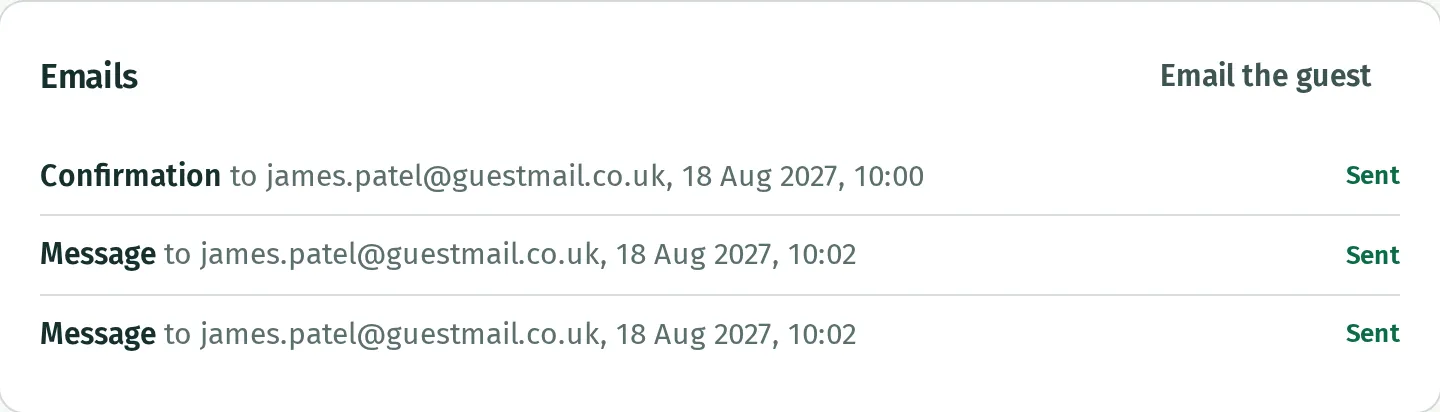
- Look under Emails on the booking to check the saved email and its status. Press its name to see its contents.
The starting subject is “About your booking at” followed by your business’s name. You can replace it. Kipdown adds the booking details and link below your message; you do not need to copy them in.
Email guests for a day
Section titled “Email guests for a day”- Open Today and use its arrows to choose the day you need.
- Beside Arriving, press Email guests.
- Under Who, tick Arriving, Staying or Leaving, or a combination. Staying means guests who arrived before that day and leave after it; tick Arriving too if you want that day’s new guests.
- Under Booked, choose Everything or the kinds of stay to include. This choice appears when you offer more than one kind.
- Check the Goes to … list and untick any guests who should not receive the message.
- Write Subject and Message, then press Send to … guests.
You can also start from Calendar: click an empty night and choose Email guests here that night. That starts with guests staying that night, including arrivals, for the kind of stay you clicked. Check Who and Booked before sending.
Who appears in the list
Section titled “Who appears in the list”The group list includes confirmed bookings with an email address. Bookings waiting for payment and bookings brought in from another site’s calendar are left out.
Each address receives one email per group send. If an address belongs to several selected bookings, Kipdown uses the booking arriving first for its details and link.
Limits and delivery
Section titled “Limits and delivery”The subject can contain up to 150 characters and the message up to 5,000. A group send can include up to 200 selected bookings. For more, narrow the kinds of stay or untick some guests and send the rest separately.
These are messages sent when you press Send, without scheduling or attachments. For emails that go automatically before or after a stay, see The emails guests get.
An “on its way” message means Kipdown has saved the email to send next. Check Emails on the booking for its delivery status; it is not a guarantee that the guest has read it.