

Deposits and balances
Choose whether guests pay everything when they book, a percentage deposit with the rest due later, or nothing until they arrive. The choice applies to new bookings. Existing bookings keep the payment terms they were made under.
Before you start
Section titled “Before you start”For real online card payments, set up card payments first. You can also offer bank transfer.
Choose when guests pay
Section titled “Choose when guests pay”- In the menu, open Settings → Payments.
- Under When guests pay, choose In full, A deposit or When they arrive.
- If you choose A deposit, enter its percentage of the total and how many days before arrival the rest is due.
- Set Remind them to pay the rest to the number of days before the due date you want the reminder sent. Use 0 for no balance reminder.
- Wait for the saving status at the top of Settings to finish. These settings save as you change them.
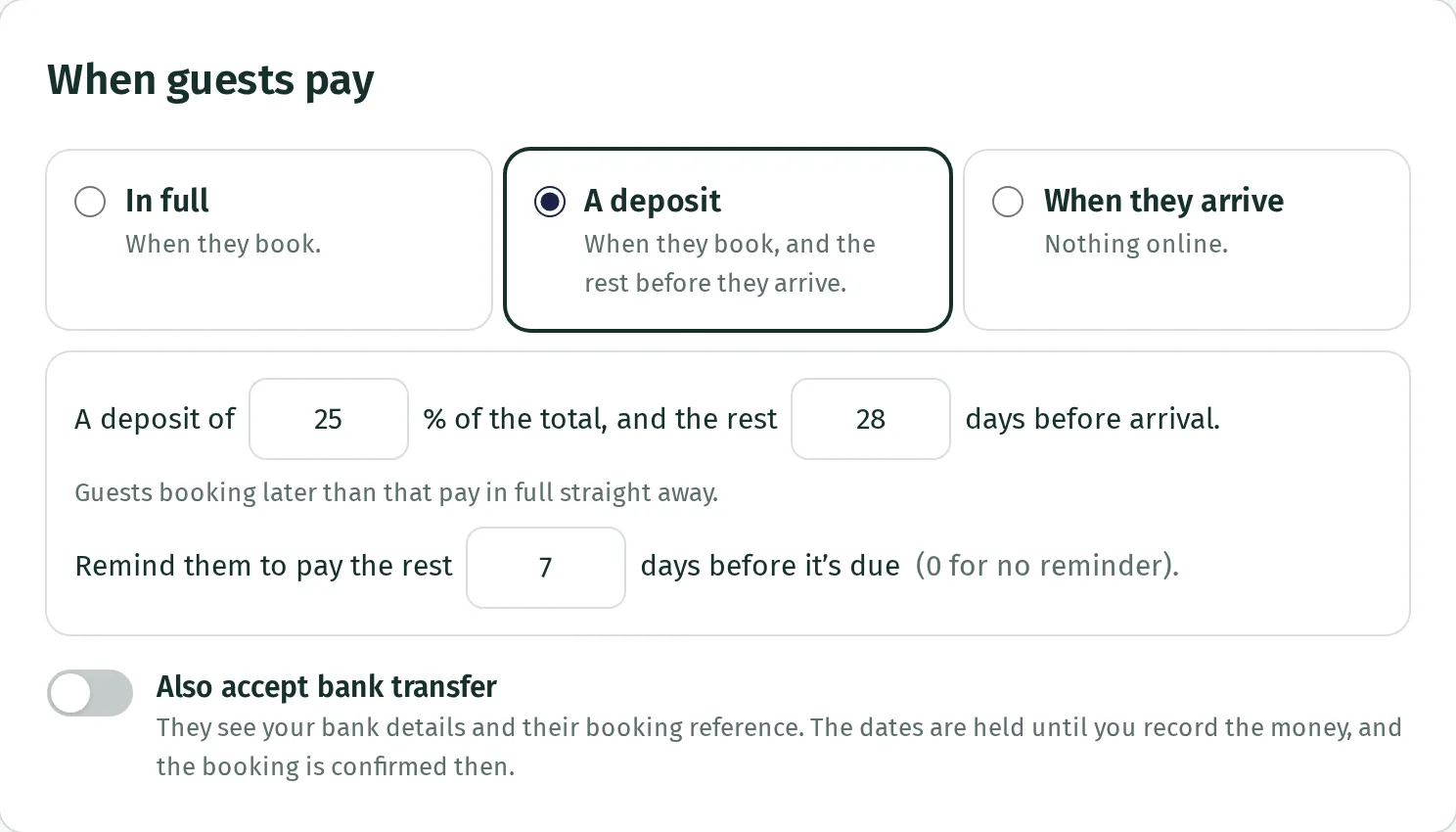
The deposit can be 1% to 100%. The balance can be due 0 to 365 days before arrival; 0 means on arrival day. The reminder can be 0 to 120 days before the balance is due.
What a deposit means
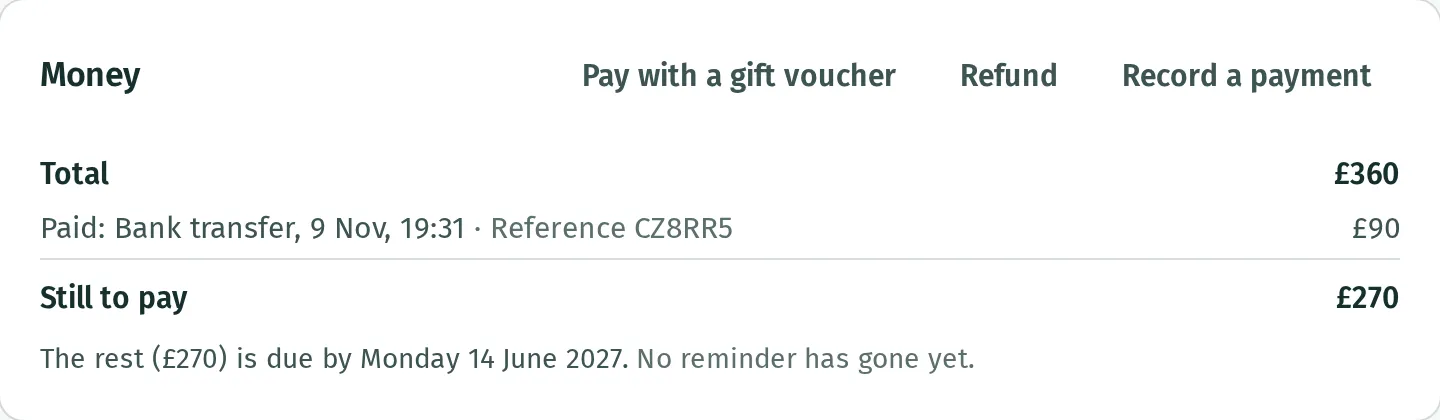
Section titled “What a deposit means”For a £360 booking with a 25% deposit, the first payment is £90 and the remaining £270 is due on the date shown. If the guest books on or after that due date, they pay the whole £360 straight away.
For a booking with several stays, the balance date uses the earliest arrival. Deposit amounts are rounded to the nearest penny.
Open Bookings, then the booking, and look under Money to see what has been paid, Still to pay and the balance date.
How the balance is paid
Section titled “How the balance is paid”When a guest pays a deposit by card and money remains due later, Kipdown keeps that card for the balance. It attempts to take the amount still owed on the due date, during its regular checks between 9am and 8pm in your business’s time zone. It is not taken at midnight or at an exact time you choose.
The booking’s Money section says which card will be used. If there is no saved card, the balance is not taken automatically. The guest must pay from their booking page or pay you another way. Record money received outside Kipdown so the balance stays correct.
Choosing When they arrive confirms bookings without an online payment. You collect the money and record it yourself.
Record money you’ve received
Section titled “Record money you’ve received”Use this for money paid outside the booking page, such as cash on arrival or a bank transfer.
- Open Bookings, then the guest’s booking.
- Under Money, press Record a payment.
- Enter the Amount you received and choose How it was paid. Add a Note (optional) if useful.
- Press Record payment, then check the payment and remaining balance under Money.
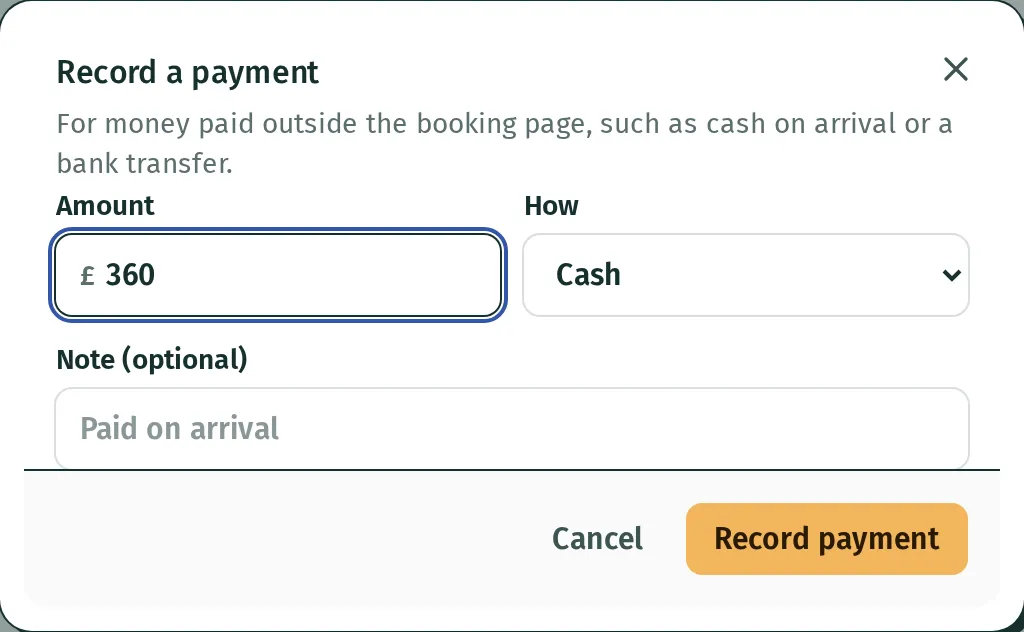
This records money you have already received. It does not take a payment from the guest.
If the balance cannot be taken
Section titled “If the balance cannot be taken”If the bank declines the saved card, Kipdown emails the guest to pay from their booking page and tells you about the decline. If the bank needs the guest to approve the payment, Kipdown emails the guest to confirm it. The Money section shows what happened.
Kipdown does not repeatedly charge a declined card. The booking remains confirmed and the balance remains owed. Contact the guest if it stays unpaid; there is no automatic cancellation for an unpaid balance.