

Today and the arrivals list
Use Today to prepare for the day’s arrivals, see who is leaving and check anything that needs your attention. You can also print an arrivals list to take to reception or the gate.
Work through the day
Section titled “Work through the day”- Open Today in the menu.
- Check the cards at the top for how many of each kind of stay are taken tonight.
- Read Needs you, if it appears. Open a booking to check its details before acting. Check what needs you below explains the warnings.
- Work down Arriving. Each booking shows where the guests are going, how many people are coming, the number of nights, extras and the arrival time. It also shows money still to pay, answers to booking questions and any message or note.
- Press Arrived when the guests turn up. Press it again to remove the tick if you marked them by mistake.
- Check Leaving for departures and their leaving time. Where a named place has new guests that day, the departure card says who is coming next.
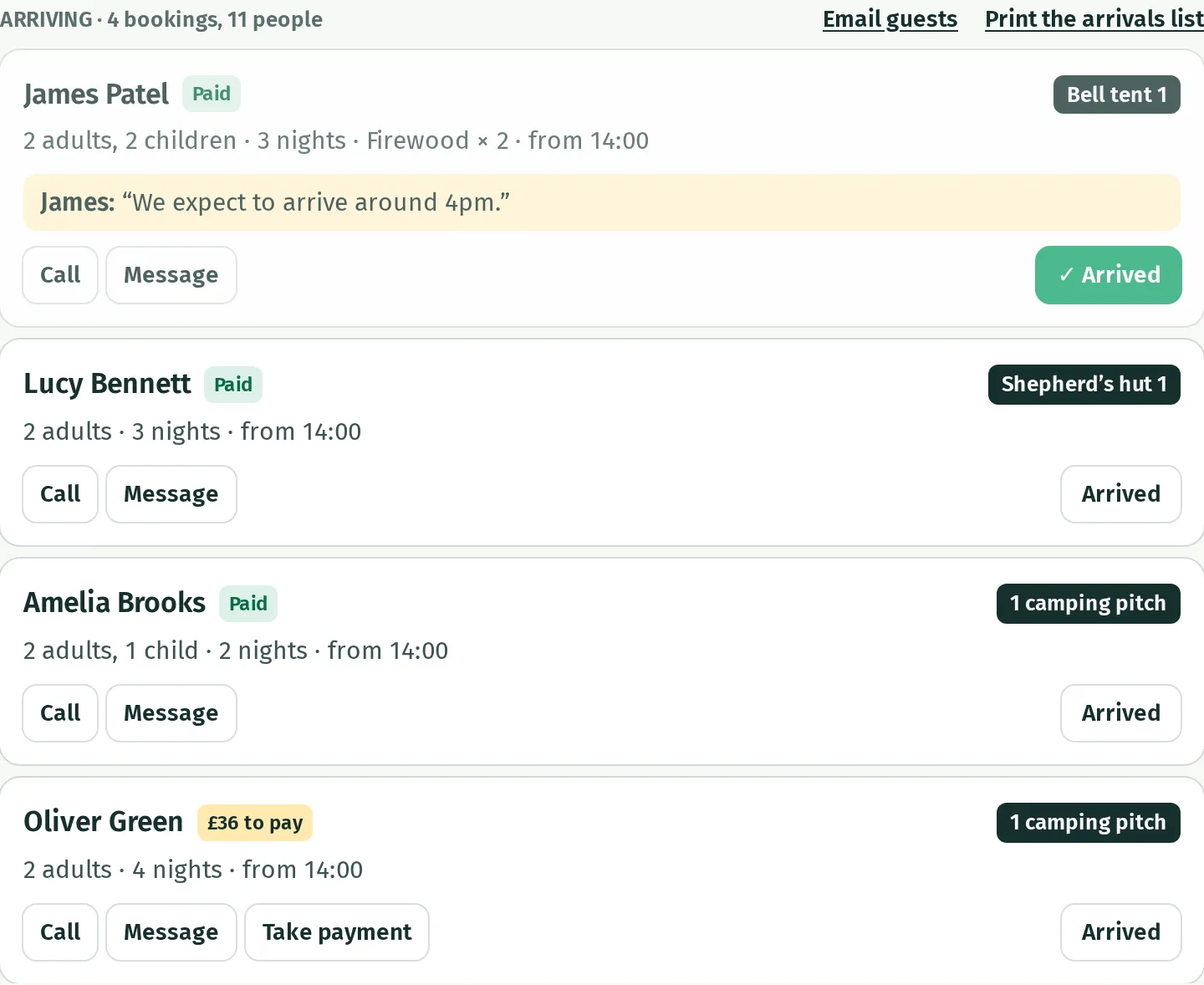
Press a guest’s name to open the whole booking. Call opens your device’s phone app, and Message opens its text messaging app; these depend on a phone number being recorded. For an email sent through Kipdown, use Email guests.
A booking can contain several stays. Today lists the stays arriving or leaving on the day you are looking at; the booking’s page shows all of them. With more than six arrivals, the cards become compact rows with boxes to tick and a count of how many are here.
Check what needs you
Section titled “Check what needs you”Needs you brings together payment checks and booking problems. Open the warning’s booking or settings link to investigate:
- For a bank transfer, check your bank before marking it paid. See Bank transfer.
- For a double booking, follow Sort out a double booking.
- For an arrival that still owes money or an overdue balance, see Deposits and balances.
- For a calendar that could not be checked, see Other booking sites.
- For an email that could not be sent, see The emails guests get. Check the email address and sending setup, then send the guest another email or contact them another way.
Opening a warning does not resolve the problem by itself.
Look at another day
Section titled “Look at another day”Use the arrows beside the heading to go to the day before or the next day. Press Today to return to today’s date. This lets you prepare tomorrow’s arrivals list using the same screen.
Print the arrivals list
Section titled “Print the arrivals list”- On Today, choose the day you need with the arrows.
- Beside Arriving, press Print the arrivals list. This link appears when someone is arriving that day.
- Press Print on the list, then choose a printer or save it as a PDF in your browser’s print window.
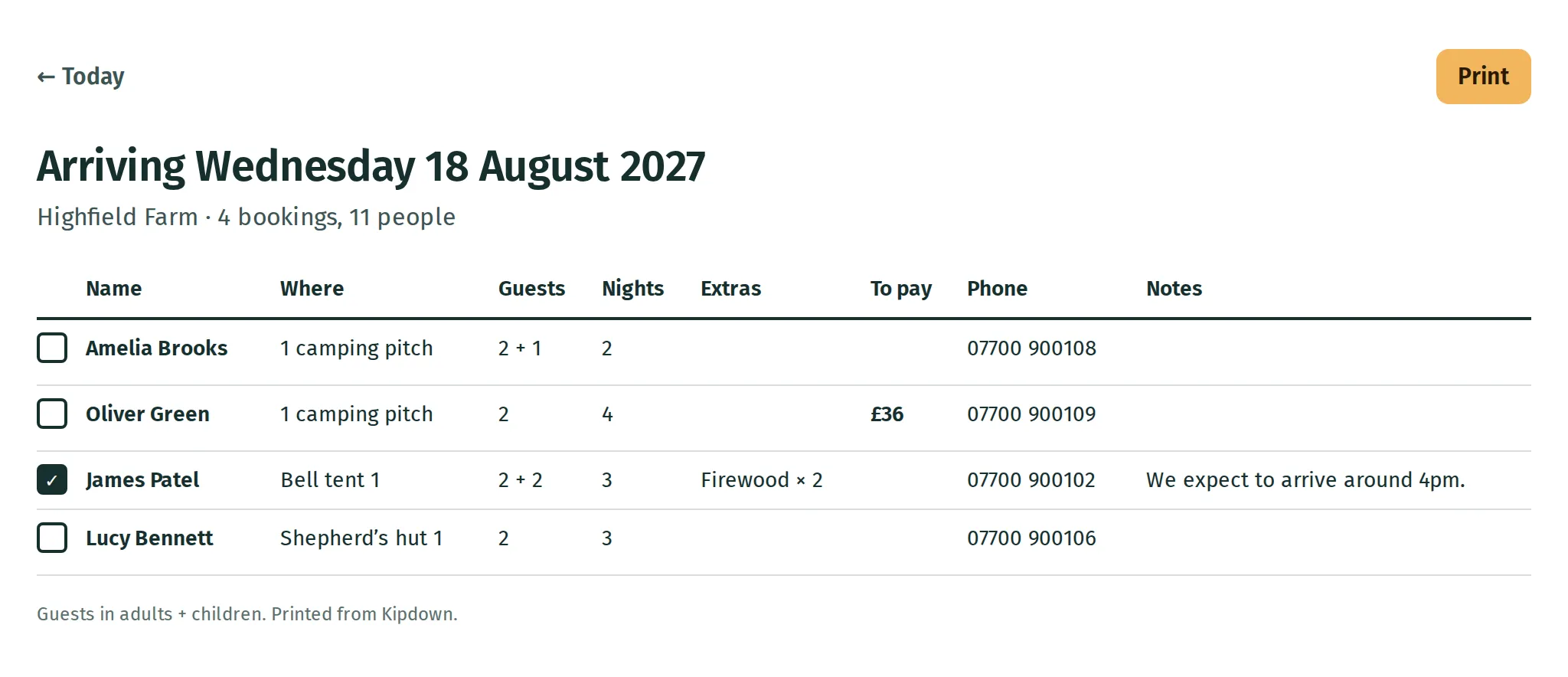
The list includes arrival ticks already recorded in Kipdown. Ticks you add to a paper copy do not update Kipdown.
If Today looks quiet
Section titled “If Today looks quiet”When no one is arriving, leaving or staying on, Today shows the next arrival, the open periods ahead and recent bookings instead. A guest still paying is not a confirmed arrival. Check Needs you and the booking’s status if you expected someone to appear.