

The import file
Bring bookings across reads a CSV file or pasted spreadsheet. This reference describes the file it accepts. For the screen steps, see Bring your bookings across.
File structure
Section titled “File structure”Use a first row of column headings, followed by one booking per row. Column names and order are flexible: Kipdown guesses from the headings, and the owner checks the mapping before importing. Unmapped columns are ignored. Blank rows are ignored and cells are trimmed.
The separator can be a comma, semicolon or tab; Kipdown chooses whichever occurs most often outside quotes in the first line. Double-quoted fields may contain separators and line breaks. Write a quote inside a quoted field as "". A leading byte-order mark is accepted. Save Excel or Numbers files as CSV first; their native file formats are not read.
Arrival,Departure,Name,Email,Adults,Children,Accommodation,Total,Paid,Reference,Notes2027-08-13,2027-08-16,Jo Taylor,jo@example.com,2,1,Bell tent,360.00,120.00,HF-104,"Arriving after 6pm"Columns
Section titled “Columns”These are the mapping labels shown on screen, rather than mandatory header spellings.
| Mapping | Rules |
|---|---|
| Arriving | Required. A real arrival date. |
| Leaving | Required unless Nights supplies the departure. Must be after arrival. If both are supplied, Leaving wins. |
| Nights | A positive whole number, used only when Leaving is empty. |
| Guest’s name | Required unless First name and/or Last name supply it. Maximum 120 characters for the resulting name. |
| First name, Last name | Joined with a space when Guest’s name is empty. |
| Optional, up to 200 characters. An invalid email address is discarded, while the booking can still be imported. | |
| Phone | Optional, up to 40 characters. |
| Adults | Defaults to 2 when empty or unreadable. Whole numbers up to 500; zero becomes 1 when saved. |
| Children | Defaults to 0 when empty or unreadable. Whole numbers from 0 to 500. |
| What was booked | Match each distinct value to a stay in Kipdown, or one of its named places. If there is no such column, choose one stay for every row. |
| How many | Quantity of pitches, tents or rooms. Defaults to 1 when empty, zero or unreadable. Whole numbers from 1 to 100 when supplied. |
| Price | The agreed total in pounds, from £0 to £100,000. If empty, Kipdown calculates it using current prices. |
| Paid so far | Pounds already paid, from £0 to £100,000. Empty means no payment is recorded. |
| Their reference | Optional, up to 60 characters. Kept in Your notes; a new Kipdown reference is issued. |
| Notes | Optional, up to 1,000 characters. Saved in Their message. |
Use digits for counts, without commas or decimal places. Check them carefully: unreadable counts can fall back to defaults rather than show a preview error. Limits on lengths and amounts are checked when rows are submitted. An invalid value can reject a whole batch of up to 100 rows even if they looked ready in the preview.
Money accepts 360, 360.00, £360.00, GBP360.00 and "£1,250.00". Use a full stop for decimals and at most two decimal places. A comma is removed as a thousands separator; it is not a decimal separator. Currency symbols do not convert currencies. Supply GBP amounts.
The example email address is a placeholder. Use the guest’s real address; reserved domains such as example.com are discarded as invalid.
Use YYYY-MM-DD to avoid ambiguity. These forms are also read:
13/08/2027,13-08-2027or13.08.2027.08/13/2027with month-first selected.13 Aug 2027,Friday 13 August 2027,13th August 2027orAug 13, 2027.
Two-digit years are read as 2000–2099. Numeric dates are guessed as day-first or month-first when a value above 12 makes that clear; otherwise day-first is the default. Check Dates like 03/08/2027 mean and select the correct order. Use one numeric date order throughout the file. A timestamp beginning with YYYY-MM-DD uses that date without converting its time zone. Spreadsheet serial date numbers are not supported.
What happens to each row
Section titled “What happens to each row”Bookings are created as confirmed, including past bookings. Imports can also use closed dates and bypass online minimum stays. A stay can be no longer than 366 nights, must fit the stay’s guest and quantity limits, and must have room unless overbooking is selected. No extras are imported or added automatically, including compulsory extras. Put their agreed cost in Price and add any extras to the booking separately if needed. Paid so far is a record of money received before moving; Kipdown does not charge the guest or import their saved card.
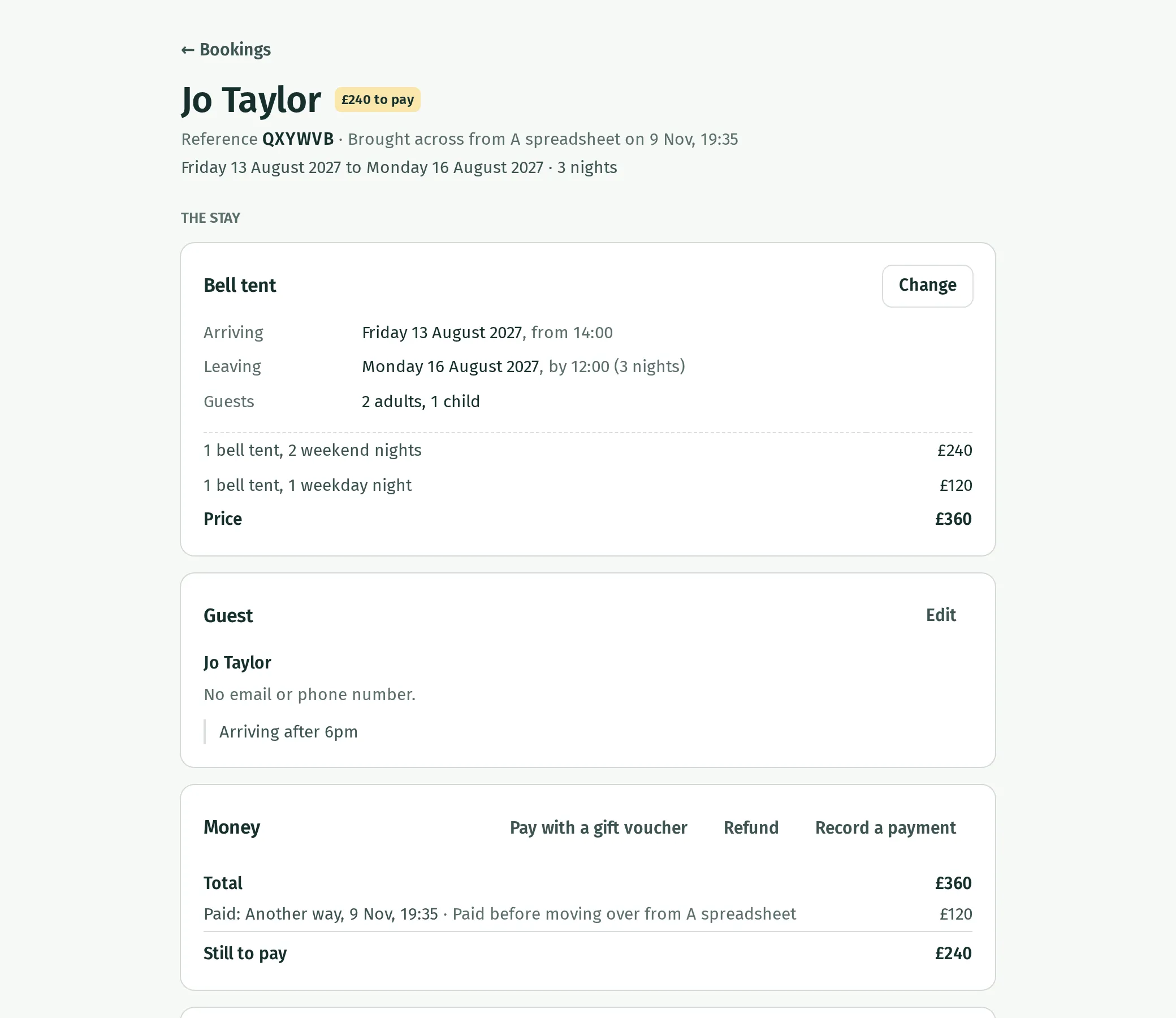
Rows without room are refused unless the owner selects Book them in even where something else is already booked. That option can create double bookings; follow Sort out a double booking to resolve them. Guests receive a confirmation only if the owner selects Email each guest a confirmation from you now, and the row has a valid email address. Both options are off by default.
The page sends ready rows in batches of 100 and reports each result. Rows with preview problems are skipped; a failure does not undo rows already imported. If the import loses its connection, check the calendar before trying those rows again.
There is no duplicate detection using Their reference. Importing the same row again makes another booking if it fits. Correct and retry only the rows that were not brought across. The file has no mappings for booking status, extras, question answers, saved cards or refunds; filter out cancelled bookings before importing.