

Spreadsheets and downloads
Download your booking records as a CSV spreadsheet for your accountant, or keep a copy of every booking. The files open in Excel or Google Sheets.
Before you start
Section titled “Before you start”You must be an owner. Downloads include guests’ details, so store and share them with the same care as the details in Kipdown.
Choose what to download
Section titled “Choose what to download”| Choice | What the file contains | What the dates select |
|---|---|---|
| Payments and refunds | Recorded payments and refunds, with the booking reference, guest, stay, payment method, amount and note. | The day each payment or refund happened. |
| Bookings | Confirmed and cancelled guest bookings, including contact details, source, stay dates, price, amount paid and amount still to pay. | The booking’s arrival date. |
| Everything | Every booking and its stays, including closed dates, cancelled and unfinished bookings, contact details, extras, notes, answers and recorded payments and refunds. | All dates; there is no date filter. |
The Bookings file leaves out unfinished bookings and bookings still waiting for a bank transfer. Use Everything if you need those too.
Download a spreadsheet
Section titled “Download a spreadsheet”- Open Bookings in the menu.
- Press Download for your accountant at the top. On a small screen the button says Download.
- Under What, choose Payments and refunds, Bookings or Everything.
- For payments or bookings, choose Dates: this or last tax year, this or last calendar year, or Choose dates. For Choose dates, fill in From and To. Both days are included.
- Press Download. Open the saved CSV file in your spreadsheet app.

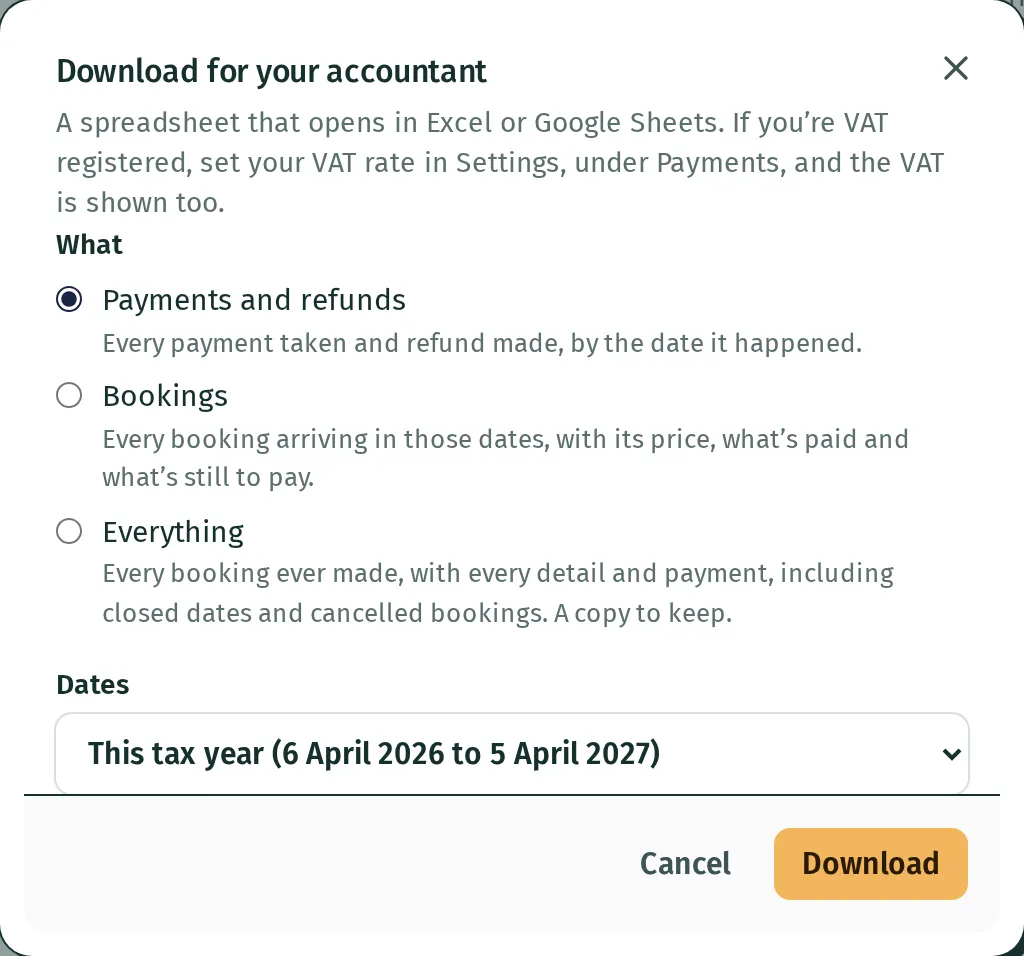
The tax-year choices run from 6 April to 5 April. For example, a booking paid in March for a stay arriving in July belongs to March in Payments and refunds, and July in Bookings.
Files are named for your business and the records chosen, such as highfield-farm-bookings-2027-06-01-to-2027-09-30.csv. Everything uses the date you downloaded it, such as highfield-farm-every-booking-2027-07-16.csv.
Read the file
Section titled “Read the file”Amounts are in pounds, with two decimal places. Refunds appear as negative amounts in Payments and refunds. Where a booking was sold with VAT, the payments and bookings files add VAT columns using the rate kept with that booking. Changing today’s VAT rate does not recalculate old bookings; see VAT and receipts.
Everything has one row per stay. A booking with several stays repeats its contact details on each row, but puts its total amount paid and payment history on the first row only, so adding that column does not count the money twice.
If the file is empty or a booking is missing
Section titled “If the file is empty or a booking is missing”Check both What and Dates. Payments use payment dates; bookings use arrival dates. A cancelled booking’s amount still to pay is shown as zero. Calendar bookings can have no price because the other site’s calendar does not provide one.
What you can’t do yet
Section titled “What you can’t do yet”There is no direct connection to accounting software from this download screen, and Everything is a record to keep rather than a file Kipdown can restore in full. Downloaded copies do not update if you later change a booking or forget a guest.