

Extras and compulsory fees
Extras let guests add things such as firewood, a fire pit or a dog to their stay. You can also make a charge compulsory, such as a cleaning fee. A free extra can record what guests are bringing without charging them.
Before you start
Section titled “Before you start”Add your stays so you can choose which ones each extra goes with. You need to be an owner to change extras.
Add an optional extra
Section titled “Add an optional extra”- In the menu, open Stays and prices → Extras.
- Press Add an extra.
- Enter a Name and a short Description for the booking page. Make clear what one item means, such as one bag of firewood.
- Enter the Price. Use £0 for something free.
- Under Charged, choose Once a stay or Every night.
- Set Most one booking can add, such as three bags of firewood.
- Under Offered with, leave Everything guests book ticked, or untick it and choose the stays this extra is for.
- Press Add. It appears in the extras list.
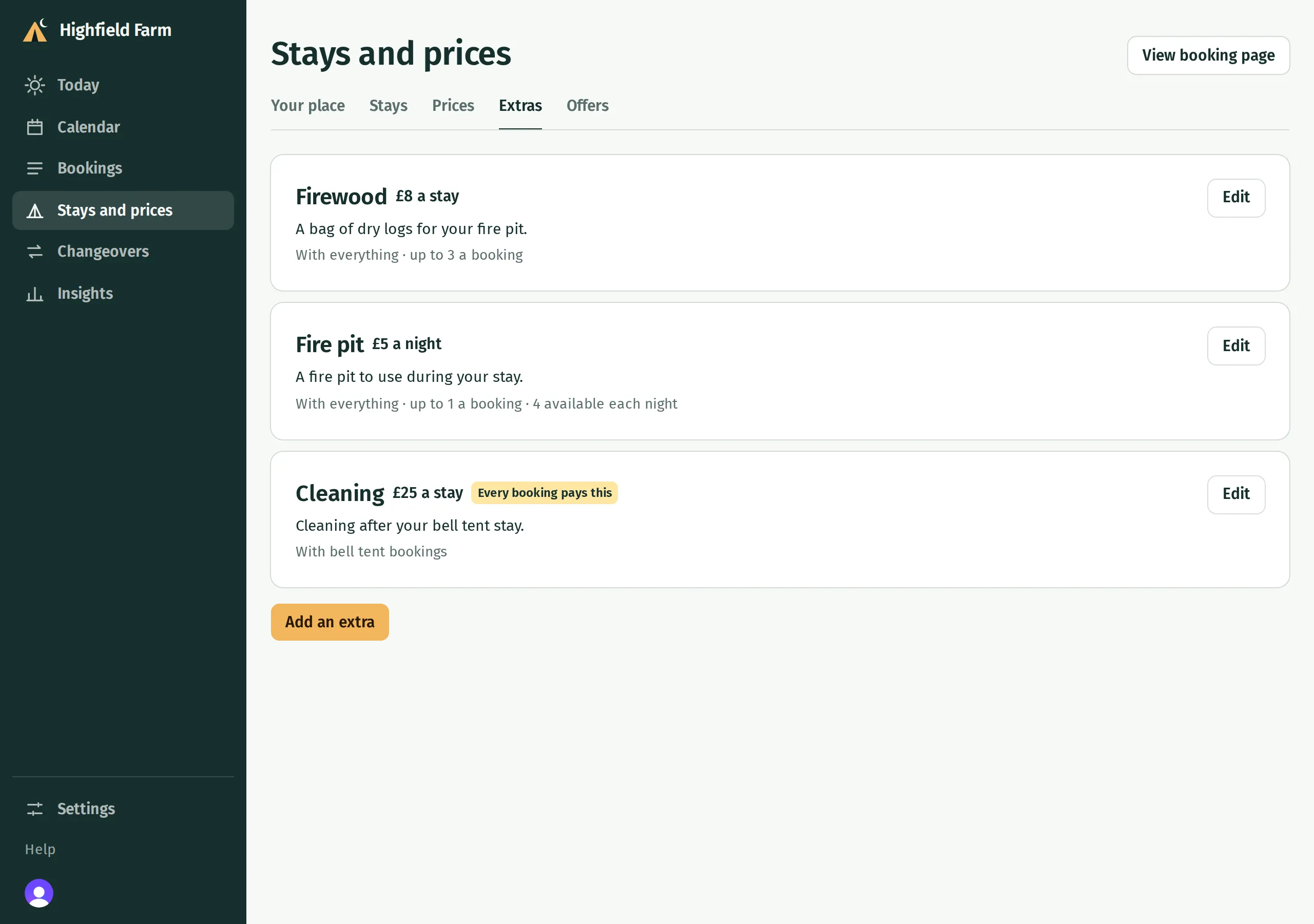
Guests choose a quantity when booking. With Once a stay, three £8 bags cost £24 for the whole stay. With Every night, one £5 fire pit costs £15 for three nights.
If you restrict Offered with, check the list says the right stays afterwards. An extra offered with camping pitches alone will not appear for a bell tent booking.
Limit how many are available
Section titled “Limit how many are available”For something you lend out, such as four fire pits, tick Only so many each night and enter how many you have. Kipdown checks availability on every night of the stay, across the stays that use that extra. If there is not enough left on any night, guests cannot add that quantity.
This is a nightly availability limit. It does not keep a running stock count for items you sell and replace, such as bags of logs. Use Most one booking can add to limit the quantity guests can choose instead.
Add a compulsory fee
Section titled “Add a compulsory fee”- On Stays and prices → Extras, press Add an extra.
- Enter the fee’s Name, Description and Price.
- Choose Once a stay for a single charge, or Every night for a nightly charge.
- Switch on Every booking pays this, such as a cleaning fee.
- Under Offered with, choose which stays pay the fee, then press Add.
Kipdown adds one of the fee to each applicable stay and guests cannot remove it. A nightly fee is charged for every night of that stay. If a booking contains two separate applicable stays, both are charged. A compulsory fee cannot have limited nightly stock.
Check what guests see
Section titled “Check what guests see”Press View booking page, choose dates and a stay, and check its extras and price breakdown. Optional extras should show the intended quantity and charge; compulsory fees should already be included.

Change or remove an extra
Section titled “Change or remove an extra”Open Stays and prices → Extras → Edit beside it. Changes save as you edit, and Done closes the form.
Press Remove to stop offering it. Bookings that already have the extra keep it. Editing the catalogue price also leaves existing bookings at their agreed price; change a booking if you need to alter one.
If an extra is missing or cannot be added
Section titled “If an extra is missing or cannot be added”Check Offered with, the maximum per booking and Only so many each night. A limited extra needs enough availability for the whole stay, even when you charge for it only once.