

Booking terms
Write the terms guests agree to before they book, such as your rules about noise, dogs and arriving late. Kipdown shows them on the booking page and keeps a copy with each booking.
Your cancellation policy is set separately in Settings → Payments. Kipdown shows that policy alongside your terms and uses it to work out refunds. Follow cancellations and refunds to change it; writing a different refund rule here does not change that calculation.
Write your terms
Section titled “Write your terms”- Open Settings → Booking terms.
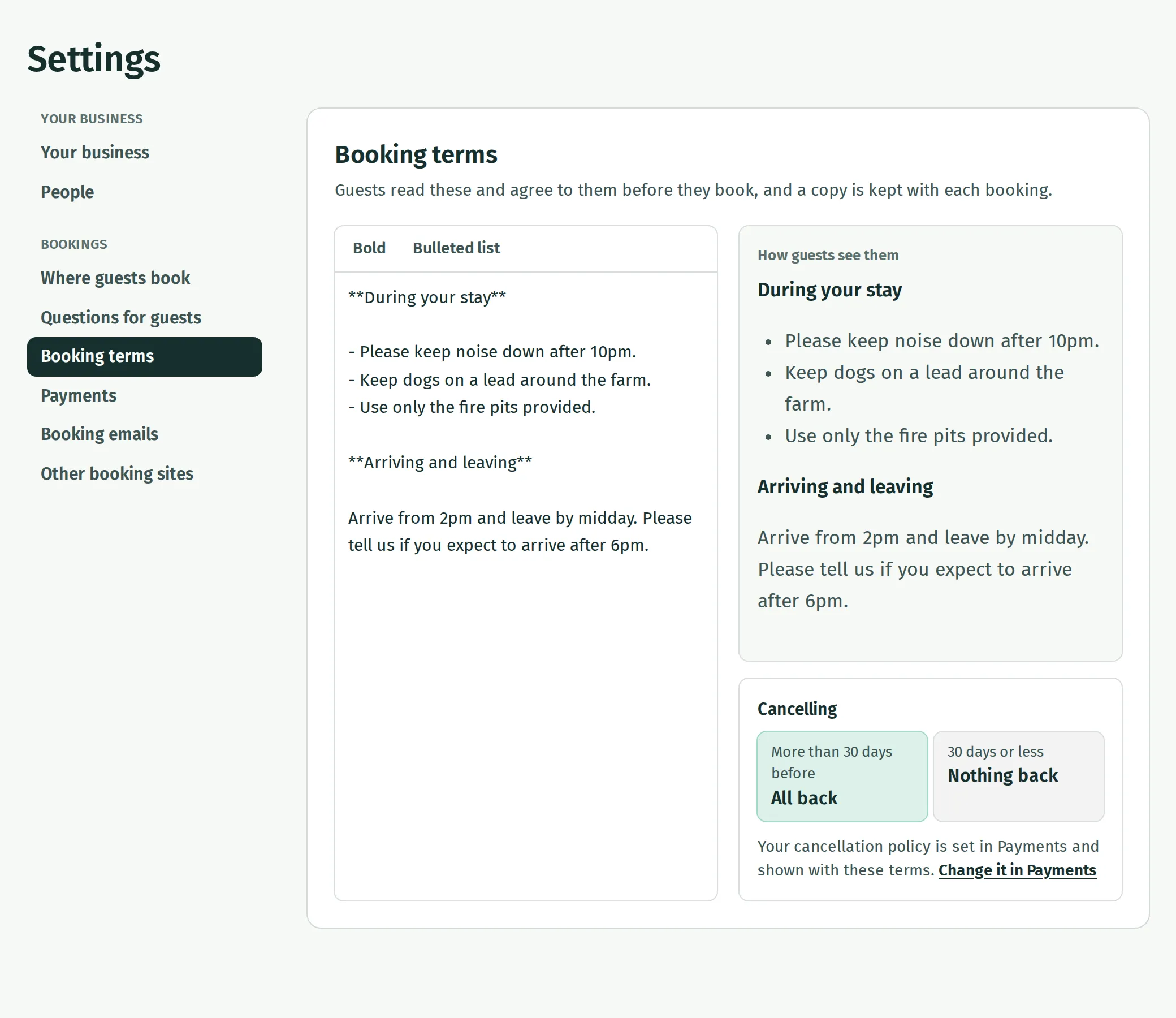
- Write or paste your terms in the box on the left. On a phone, this is above the preview.
- Select words and press Bold to emphasise them. Select lines and press Bulleted list to turn them into a list.
- Read How guests see them to check the formatting. Check the Cancelling panel underneath against what you have written.
Your changes save automatically. You can write up to 20,000 characters. Leave a blank line between paragraphs; the formatting buttons put the marks into your text and the preview shows the result.
Check them on the booking page
Section titled “Check them on the booking page”- Open Stays and prices → View booking page.
- Choose dates and a stay, then continue to Your details.
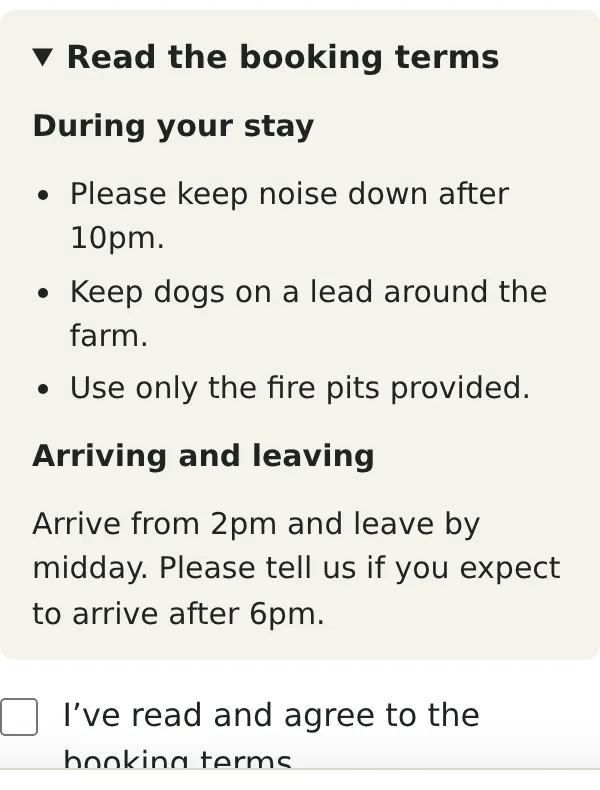
- Open Read the booking terms and check the text.
Guests must tick I’ve read and agree to the booking terms. before they can continue. This also applies when they choose bank transfer. The preview lets you check this without making a booking.
If guests are not being asked to agree
Section titled “If guests are not being asked to agree”Check that the box in Settings → Booking terms contains your terms and that the change has saved. With no terms, the preview says No terms yet. Guests book without agreeing to any. The booking page then has no terms checkbox.
After editing, reopen your booking page to check the latest text. A guest who already has the page open may still be looking at the previous version.
What happens when you change them
Section titled “What happens when you change them”New bookings keep the terms in use when they are made. Editing your terms does not replace the copy or the payment and cancellation policy already kept with an existing booking.
The editor is for text. There is no PDF upload or separate signature field. The agreement checkbox is the step guests complete online.