

Take card payments
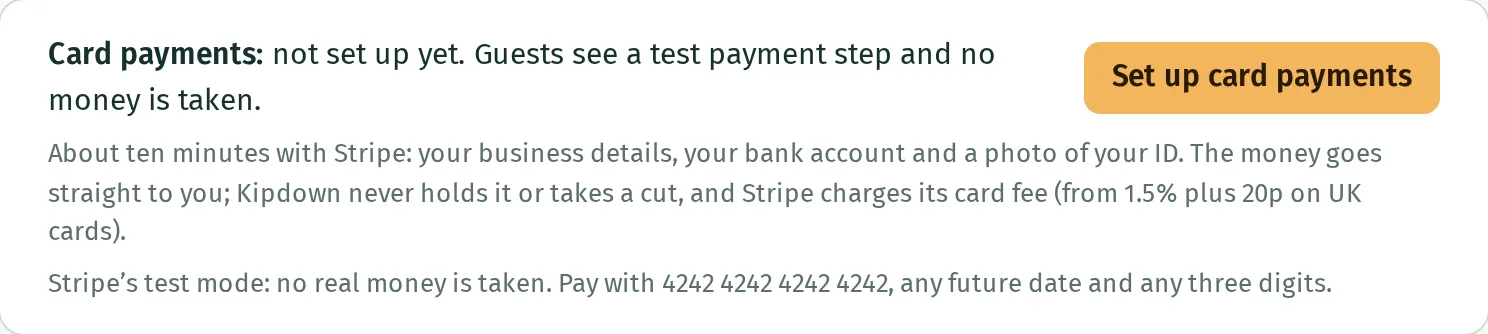
Guests can pay by card on your booking page through Stripe. The payments go to your business’s Stripe account. Kipdown does not hold the money or take a percentage of the booking; Stripe charges its card processing fees.
Before you start
Section titled “Before you start”Sign in as an owner of your business. Have your business details, the bank account you want Stripe to pay into and a photo of your ID ready. Stripe asks for the details it needs during setup.
Set up card payments
Section titled “Set up card payments”- In the menu, open Settings → Payments.
- At the top, under Card payments, press Set up card payments.
- Complete Stripe’s setup and return to Kipdown. This creates a Stripe account for taking your Kipdown payments. You cannot link an existing Stripe account through this screen.
- Check that Card payments: on appears with your business name. The Stripe Dashboard link opens the account where you manage your payments and payouts.
Choose when guests pay: in full, a deposit, or when they arrive. Connecting Stripe does not change that choice. If you choose When they arrive, guests are not asked to pay online when they book.
If Stripe still needs details
Section titled “If Stripe still needs details”When the screen says Stripe needs a few more details, it lists what is missing. Press Carry on with Stripe to finish. If you have already supplied the details, press Check again. Card payments switch on once Stripe says the account can take them.
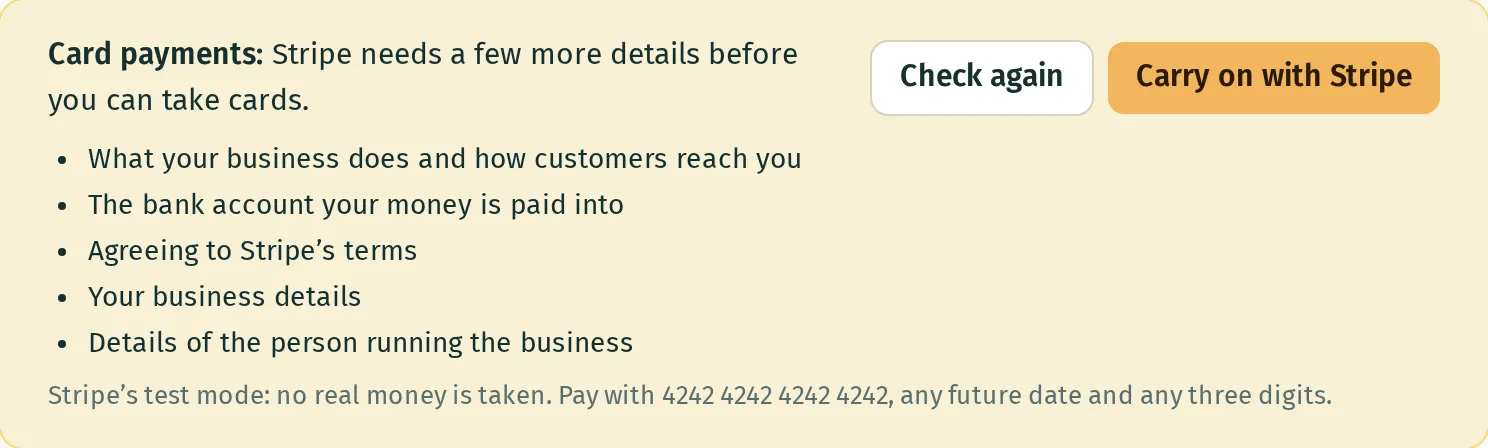
If Stripe’s setup link expires, start again from Payments. Kipdown gives you a fresh link so you can carry on with the same account.
If a guest cannot pay
Section titled “If a guest cannot pay”If the first payment is declined, the booking is not confirmed by that failed payment. Dates are held for 20 minutes while the guest pays; unfinished bookings then release their dates. A guest whose balance payment fails later has a different process: see deposits and balances.
If guests see Online payment isn’t available at the moment. Please get in touch to book., check that Card payments: on is showing in Settings → Payments. Being able to open the booking page does not mean card payments are ready.
If you see Stripe’s test mode: no real money is taken, the account is using test payments. Contact hello@kipdown.com before using it to collect real payments. There is no owner control here for changing between test and real payments.
What you cannot do here
Section titled “What you cannot do here”Kipdown does not set Stripe’s payout timetable or move money from Stripe to your bank. Use Stripe Dashboard for the account’s payout details. To return a booking payment, follow cancellations and refunds.