

How Kipdown works
Kipdown keeps what guests can book, the dates available and the bookings already taken together. Start with Set up Kipdown if you’re ready to add your business.
Stays and places
Section titled “Stays and places”A stay in Stays and prices → Stays is something guests can book, such as a camping pitch, bell tent, cottage or room. It has its own prices, guest limits and stay rules. You can have a number of the same thing, individual places with their own names, or no limit on the number available.
A place is one particular tent, pitch, cottage or room within a stay, such as Bell Tent 1. For places with names, Kipdown allocates a free one to each booking. You can choose one yourself, or let guests choose if you switch that option on. Add your stays explains how to set them up.
Open dates and prices
Section titled “Open dates and prices”Open dates are the nights you offer for booking. Set dates for the business under Stays and prices → Your place; each stay can narrow them to its own dates. If no business-wide dates are set, a stay needs its own open dates. Nights outside the applicable dates can’t be booked online. A leaving date is the day after the last night booked.
Set opening dates and minimum stays separately from prices. A special price for some dates does not open those dates.
Your booking page
Section titled “Your booking page”The booking page is where guests choose dates, see what’s available and book. You can put it on your website or share its link. Taking bookings online, under Settings → Where guests book, controls whether guests can make new bookings there. You can still add bookings yourself when it’s off.
See Put booking on your website and What guests see when they book.
A booking and its stays
Section titled “A booking and its stays”A booking is the guest’s whole reservation, with one reference, contact details and payment record. Each stay within a booking records what was booked, how many, its arrival and leaving dates, guests and extras. For example, a bell tent and a camping pitch can be two stays in one booking. You can change or cancel one stay while the other goes ahead.
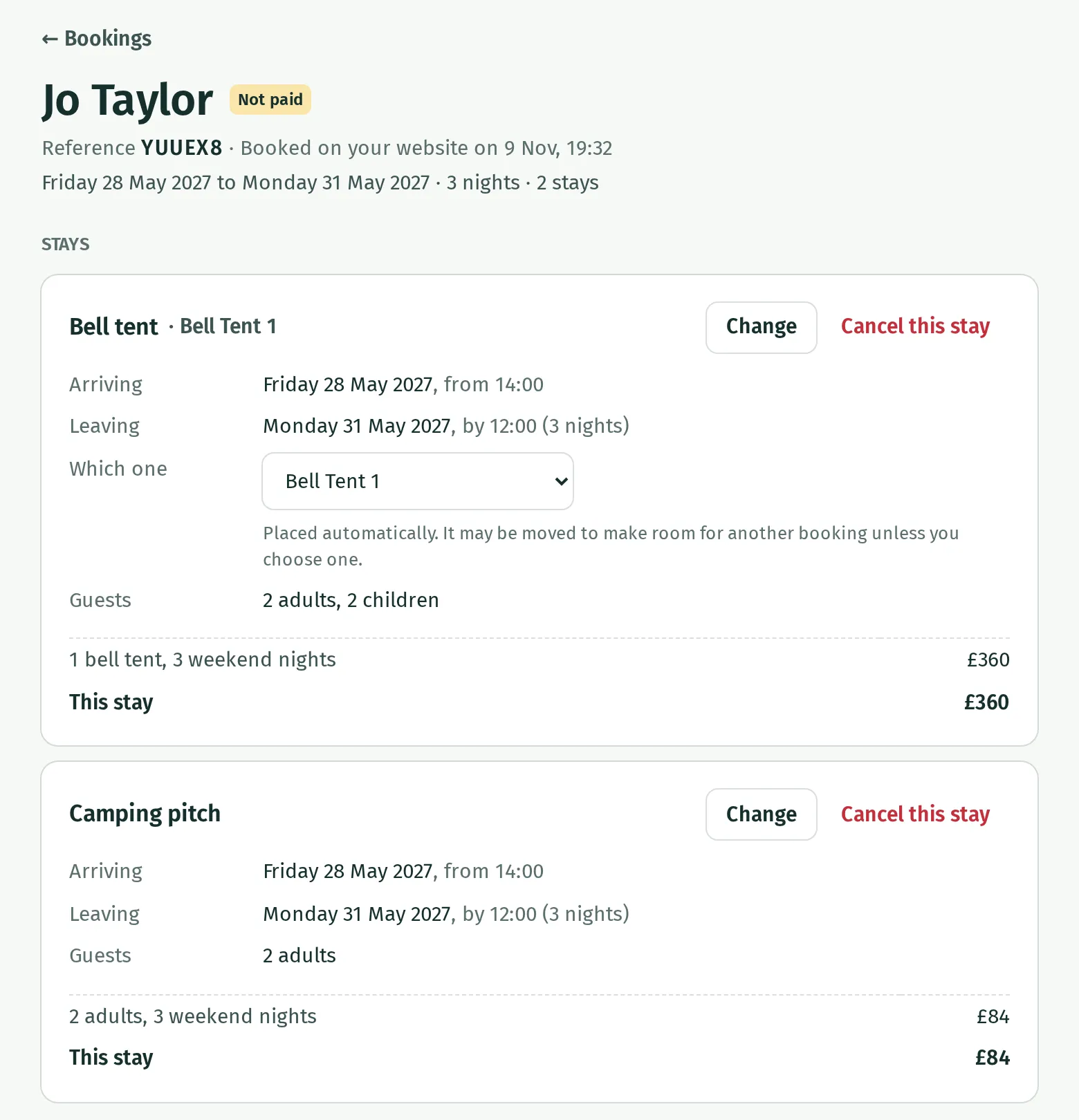
Find bookings in Bookings or see their stays on the Calendar. See The calendar and Change, move or cancel a booking.
Confirmation and money owed
Section titled “Confirmation and money owed”Confirmation means the booking is going ahead. Paid means its price is covered; Not paid means money is still owed and none has been recorded as paid. A part-paid booking shows the amount still to pay. A confirmed booking can be unpaid, for example when guests pay on arrival. See Deposits and balances and Bank transfer.
From booking to departure
Section titled “From booking to departure”- The guest chooses their stays and gives their details. Kipdown checks availability again when they book. Bookings are confirmed immediately if nothing is due now, or held while the guest pays by card or bank transfer. Card payments confirm after successful payment; bank transfers confirm once you record the money.
- The guest’s confirmation email includes a link to their booking. Before arrival, Kipdown can send reminders and collect a balance from a saved card where agreed. Choose the messages in The emails guests get.
- On arrival day, use Today to see who’s due and press Arrived when they turn up. See Today and the arrivals list.
- Departures appear on Today, and Changeovers shows what needs turning round. After departure, the booking remains in Bookings; Kipdown can send a thank-you if that email is switched on. See Changeovers and cleaners.
Owners, staff and cleaners
Section titled “Owners, staff and cleaners”An Owner manages stays, prices, settings and people’s access, as well as bookings. Someone with the Staff role handles bookings day to day but cannot change the setup or manage people. A Cleaner sees only the changeover sheet, without prices or guests’ contact details. Set access under Settings → People. See Invite people and choose their roles.