

Changeovers and cleaners
The changeover sheet tells your team who leaves and arrives, where they are staying and what to get ready. Read it in Kipdown, print it, or email it to cleaners who do not want a login.
Before you start
Section titled “Before you start”The sheet uses confirmed bookings. Bookings still waiting for a bank transfer do not appear until they are confirmed.
Owners, staff and cleaners can read and print it. Only an owner can change Who gets this sheet. For access to Kipdown, see Invite people and choose their roles.
Read and print the sheet
Section titled “Read and print the sheet”- Open Changeovers in the menu. A cleaner goes straight to this screen when opening the business.
- Read the seven days starting today. Use the arrow buttons for The week before or The week after. This week returns to today after you move away.
- Press Print to open your browser’s print options. You can print on paper or save a PDF if your browser offers it.
Show the 3 days before opens the previous three days. During a quiet week, the sheet also offers a link to the next changeover.
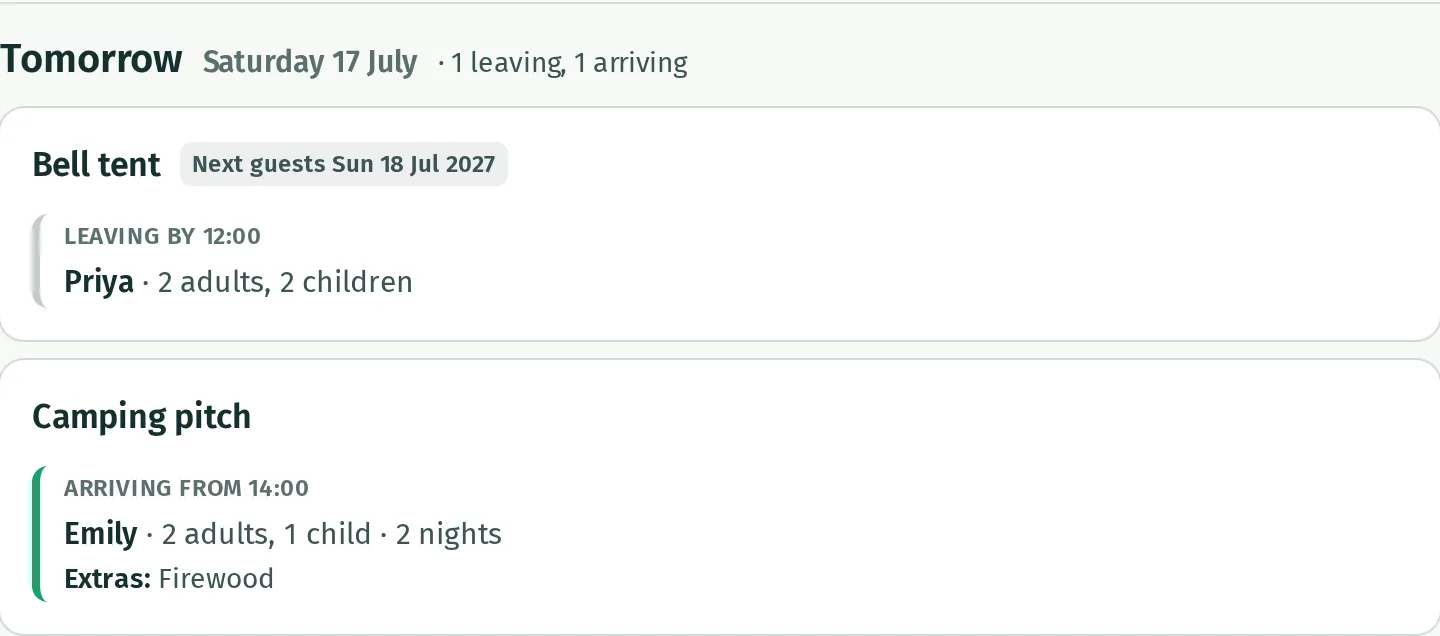
Each row is a named place, or a kind of stay such as camping pitches. It shows leaving and arrival times, first names, adults and children. Arrivals also show the stay length, optional extras and answers to booking questions. Your notes on the booking appear on the sheet too. Compulsory extras, such as a cleaning fee, are left out.
For a place left empty, Next guests shows the next arrival found within the following 60 days. No one booked next means none was found in that window.
Email the sheet
Section titled “Email the sheet”- As an owner, open Changeovers and scroll below the sheet to Who gets this sheet.
- Under Email the sheet, choose The evening before each changeover day or Every Monday morning.
- In Send it to, enter one email address per line, up to ten. These people do not need a Kipdown login.
- Leave the text box and wait for Saved. Choices save straight away; addresses save when you leave the box.
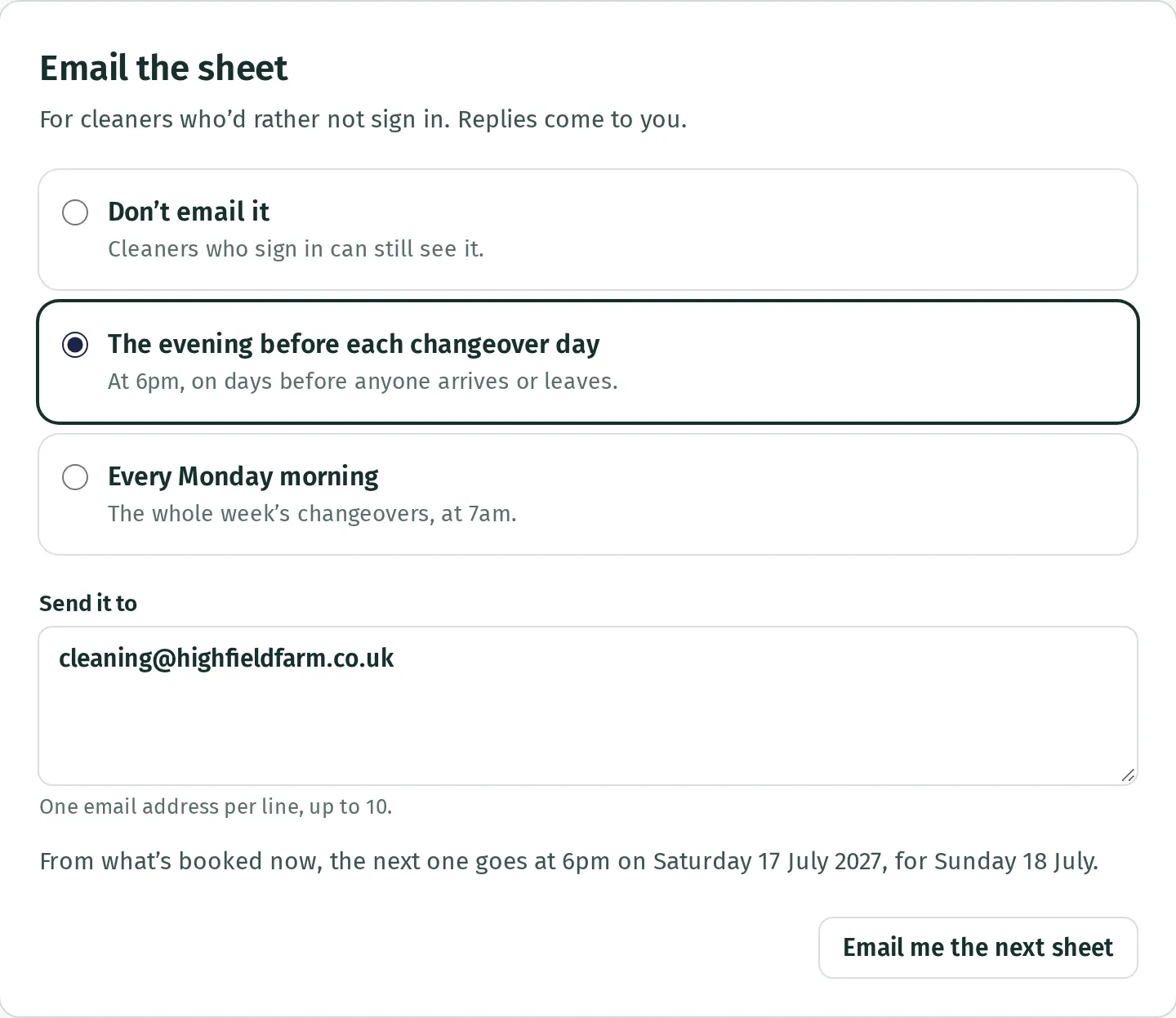
Evening sheets are sent from 6pm for tomorrow’s arrivals and departures. Monday sheets are sent from 7am for Monday to Sunday. Both use your business’s time zone. Nothing is sent for a day or week with no changeovers. These emails describe the bookings when the sheet is sent; later changes do not update a delivered email.
Press Email me the next sheet to send a copy to the address you sign in with. It uses the next changeover day, or that week’s sheet if Monday emails are selected. With Don’t email it selected, this button still sends you the next day’s sheet.
Sheets sent lists recent sheets and their delivery status. Open a sheet’s name to see its record. Once a changeover email has been sent, Kipdown removes its stored guest details, so the record cannot show the original sheet afterwards.
If a cleaner does not receive it
Section titled “If a cleaner does not receive it”Check Send it to, the schedule and whether there are confirmed arrivals or departures. Cleaners who sign in is a separate list: a login does not automatically receive emails. Choose Don’t email it to stop scheduled sheets; cleaners can still sign in.