

If you booked through Kipdown
Kipdown is the booking system used by the business you booked with. Your booking is with that business. Contact them about your stay, payment, changes or refunds; Kipdown cannot change your booking.
See your booking
Section titled “See your booking”- Find the confirmation email from the business you booked with. Check your spam or junk folder if you cannot find it.
- Open the booking link in that email. You do not need a Kipdown account.
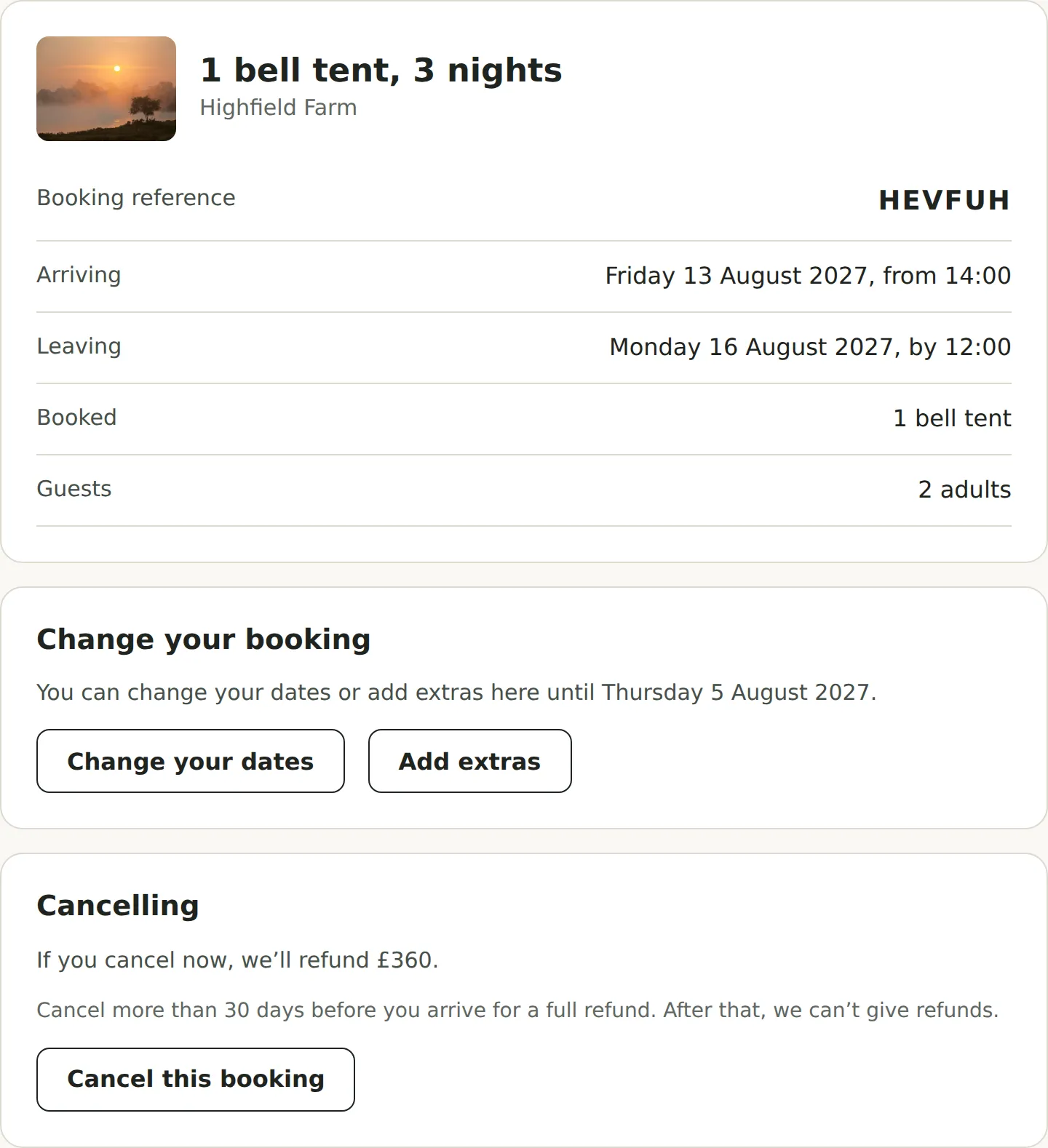
Your page shows your stay, dates, what you have paid and anything still to pay. Where available, you can pay there and choose Print or save a receipt. Keep the link private because it opens your booking.
Change or cancel
Section titled “Change or cancel”If the business allows online changes, Change your booking lets you change dates or add extras before the deadline shown. Choose See the new price, check it, then Make this change. If the price increases, you can pay the difference on the page. A lower price does not trigger an automatic refund; contact the business about it.
To change guests’ details, switch accommodation or remove extras, contact the business.
If Cancel this booking is available, the page shows what refund, if any, is due under your booking terms. Follow the steps and enter the six-digit code sent to your booking email address, then press Cancel my booking. Stays booked together are cancelled together.
If those options are missing, the deadline has passed, or the link does not work, contact the business directly. If you have lost the email, ask them to send your booking link again.