

Discount codes and gift vouchers
Use a discount code to reduce a booking’s price, or make a gift voucher worth an amount of money that a guest can spend on bookings. Both are under Stays and prices → Offers and can be managed by an owner.
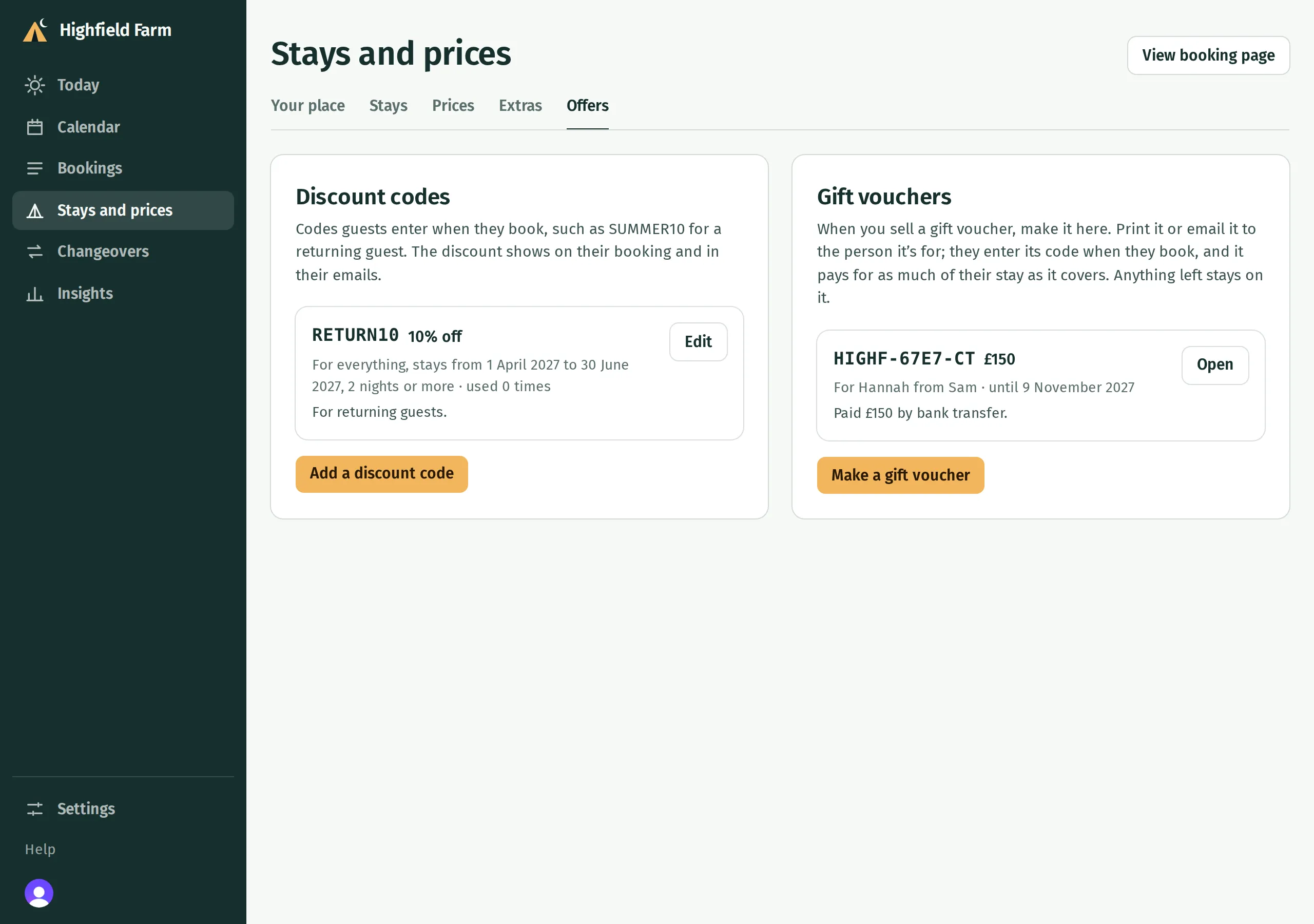
Add a discount code
Section titled “Add a discount code”- In the menu, open Stays and prices → Offers.
- Under Discount codes, press Add a discount code.
- Enter a Code, such as RETURN10. Guests can type it in upper or lower case.
- Under Takes off, choose A percentage or An amount and enter the discount.
- Under For, leave Everything guests book ticked, or untick it and choose the stays it applies to.
- Choose any restrictions described below, check Guests can use this code is on, then press Add.
A percentage applies to each stay the code covers. A fixed amount is taken off once across the applicable stays, without taking a price below £0.
Restrict when a code works
Section titled “Restrict when a code works”- Only for stays between two dates restricts the nights booked. Every night of an applicable stay must fit within First night and Last night.
- Only for bookings made between two dates restricts when the guest makes the booking. It does not set the dates they stay.
- Only for longer stays sets the fewest nights required.
- Only so many times limits the number of bookings that can use the code. A code intended for one guest is still usable by anyone who knows it until that limit is reached.
Note for yourself (optional) is private. Share the code with the people you want to use it; adding it does not send it to guests.
To change a code, press Edit beside it. Changes save as you edit; press Done to close. Switch off Guests can use this code to stop new uses. Delete only works for a code no booking has had. For a used code, Kipdown asks you to switch it off instead, keeping its history.
Make a gift voucher
Section titled “Make a gift voucher”Arrange payment with the buyer first. Making a voucher in Kipdown does not collect their money.
- Under Stays and prices → Offers → Gift vouchers, press Make a gift voucher.
- Enter Worth and Can be used until. A voucher must be worth at least £1.
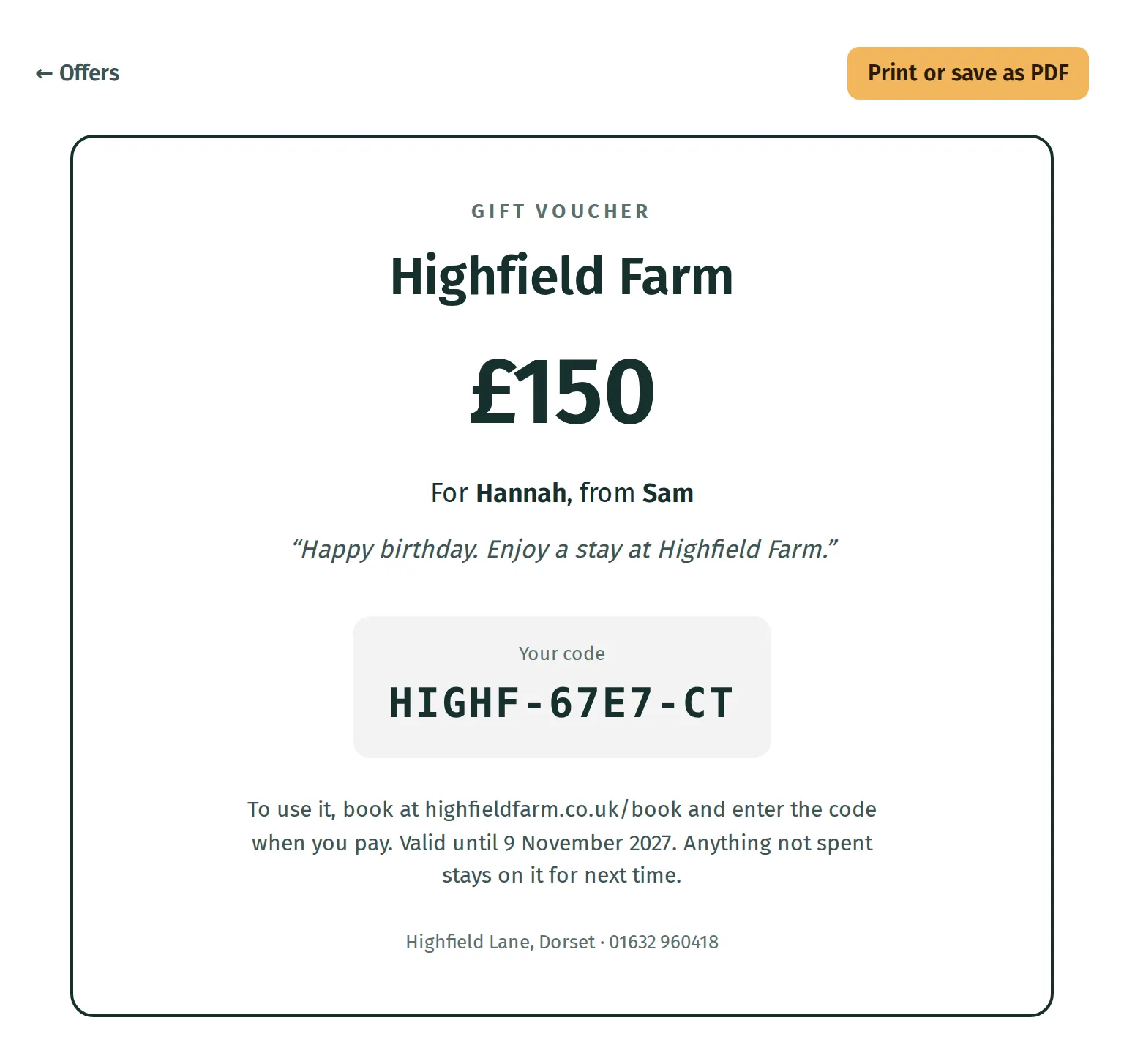
- Optionally fill in For (optional), From (optional) and A message (optional). These appear on the voucher and in its email.
- Use Note for yourself (optional) to record how it was paid for. Guests do not see this note.
- Press Make the voucher. Kipdown gives it a code and shows the printing and email options.
Use Email it to and Send to email it to the buyer or recipient. To print it, press Print it, then Print or save as PDF on the printable page.
Take a gift voucher on a booking
Section titled “Take a gift voucher on a booking”- Open Bookings, then the booking, and find Money.
- Press Pay with a gift voucher. This appears on a booking going ahead that still has money to pay.
- Enter Voucher code and check Amount against Still to pay.
- Press Pay £… and check the result, including how much is left on the voucher.
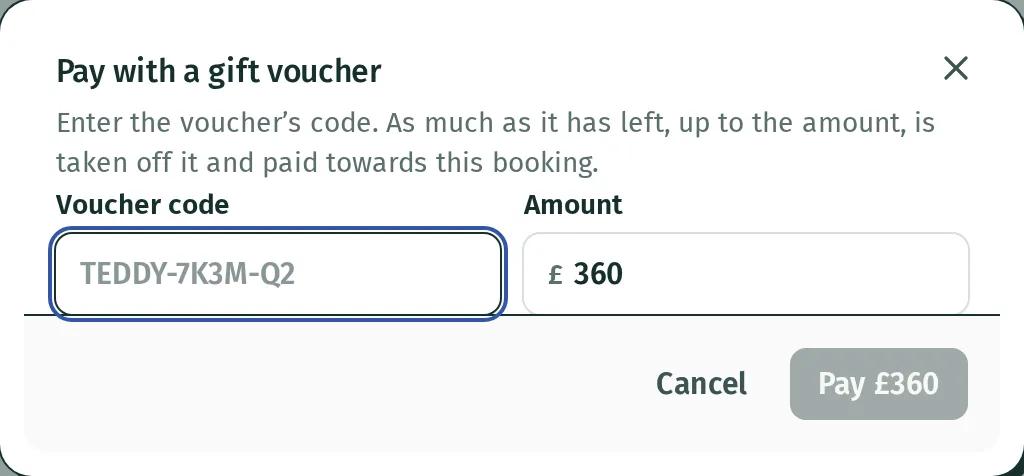
Kipdown takes up to the amount entered, limited by the voucher’s remaining value. It does not limit it to the booking’s balance, so check the amount before paying. A booking waiting for a bank transfer confirms if the voucher covers what is due now.
See what is left
Section titled “See what is left”The Gift vouchers list shows each voucher’s balance and marks it Spent, Expired or Cancelled when applicable. Press Open to see its details and Spent on, which links to the bookings where it was used and shows money put back.
Unused money stays on the voucher for another booking until it expires. You can edit its details, but cannot reduce its value below the amount already spent. Cancel this voucher stops further spending; Let it be used again reverses that cancellation. Cancelling it does not send money to the buyer.
If a guest’s code does not work
Section titled “If a guest’s code does not work”Guests enter it under Have a discount code or gift voucher? on the booking page. Check the discount’s dates, stays, minimum length, use limit and switch, or the voucher’s expiry date, balance and cancellation status.
A booking can use one discount code and one gift voucher together. It cannot combine several of either kind.
What you can’t do yet
Section titled “What you can’t do yet”Guests cannot buy vouchers through a Kipdown voucher shop. Sell them separately, then make and send them here.