

Questions for guests
Ask for information you need before guests arrive, such as their vehicle registration or roughly when they expect to arrive. Your questions appear under Your details on the booking page, alongside the guest’s name, email address and phone number.
You do not need to add questions for those contact details. Guests can also leave a note without you adding a question.
Add a question
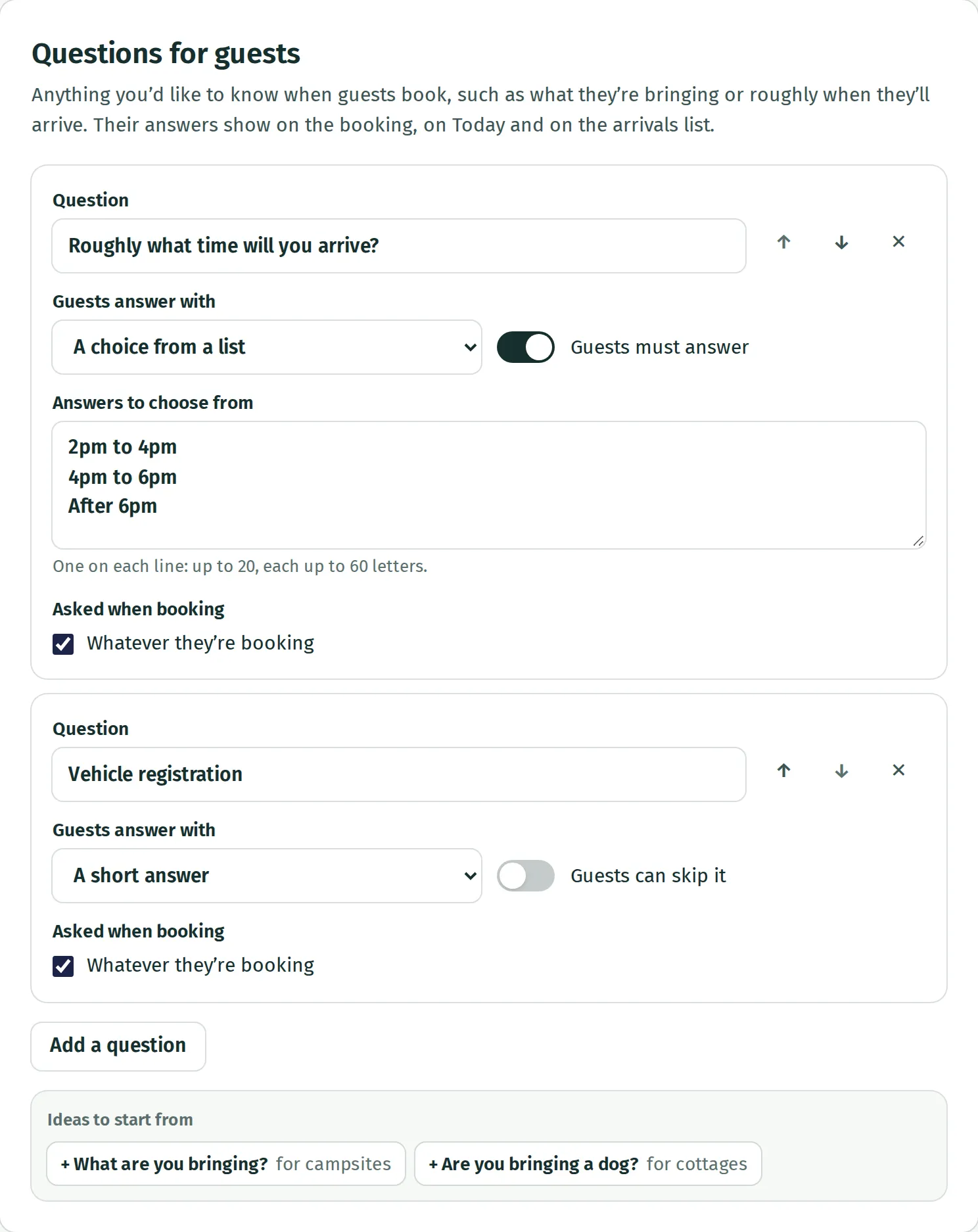
Section titled “Add a question”- Open Settings → Questions for guests.
- Press Add a question, or choose one of the suggestions under Ideas to start from.
- Write the Question as you want guests to read it.
- Under Guests answer with, choose A short answer or A choice from a list. For a list, put each answer on its own line in Answers to choose from.
- Use the switch beside Guests can skip it if the answer is needed to book. Once on, it reads Guests must answer. Leave it off to show the question as optional.
- If you have more than one kind of stay, check Asked when booking. Leave Whatever they’re booking ticked, or untick it and choose the stays the question applies to.
Changes save automatically once the question has its words and, for a list, at least one answer. Use the up and down arrows to change the order, or the cross to remove a question.
Check what guests see
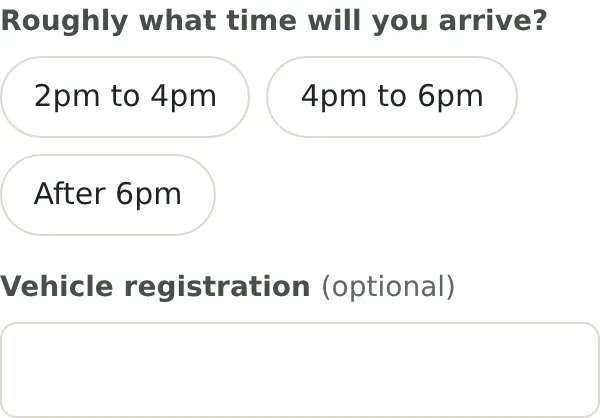
Section titled “Check what guests see”Open Stays and prices → View booking page, choose dates and a stay, then continue to Your details. A question limited to camping pitches will not appear when only a bell tent is booked. If a booking includes both, it will appear once for the whole booking.
The preview lets you check the form without making a booking. See what guests see when they book for the rest of their journey.
Find the answers
Section titled “Find the answers”Open the guest’s booking from Bookings or Calendar. Their answers are in Guest. They also appear with arrivals on Today and on Print the arrivals list. See Today for using that list.
Questions are optional when you add a booking yourself, even if guests must answer them online.
If a question will not save
Section titled “If a question will not save”Each question needs some words. A choice question needs at least one answer, with no more than 20 choices and 60 characters per choice. You can have up to 12 questions, each up to 120 characters. A guest’s short answer can be up to 300 characters.
Changing questions with bookings already made
Section titled “Changing questions with bookings already made”Rewording a question changes its label on existing bookings too. Keep its meaning the same, or add a new question for a different piece of information. Removing a question keeps its existing answers on bookings, but they may be labelled with a question reference instead of the original words.
Questions collect one answer per booking. You cannot ask for an uploaded file or let guests select several answers from one list.