

Set your prices
Each stay has usual prices and can have different prices for seasons or events. Kipdown calculates the price from the nights booked, the guests and any extras.
Before you start
Section titled “Before you start”Add your stays first. Prices for a new stay are entered while adding it; after that, use Stays and prices → Prices. Enter amounts in pounds.
Set the usual price
Section titled “Set the usual price”- In the menu, open Stays and prices → Prices.
- Find the stay and press Edit on its All dates row. If you have already added seasonal prices, this row is called All other dates.
- Under Price, choose Per person, a night or the option for the stay itself, such as Per bell tent, a night.
- Fill in both Weeknights and Weekends, using the same amount in both if your price does not change at weekends.
- Set any child prices, pitch charge or charge for extra guests described below, then press Done. Changes save as you edit.
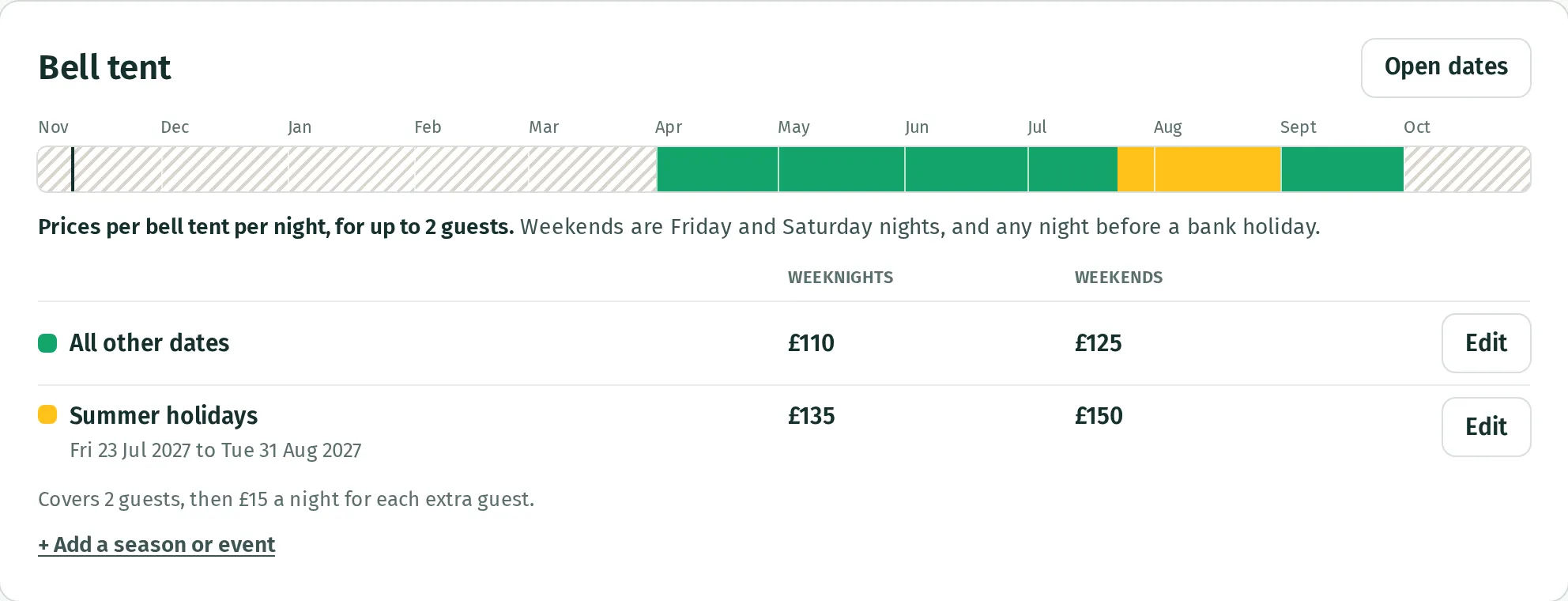
Weekends are Friday and Saturday nights, plus any night before a bank holiday in your business’s UK bank holiday region. Other nights use the weeknight price. A stay crossing both is charged for each night at its own price.
Charge per person
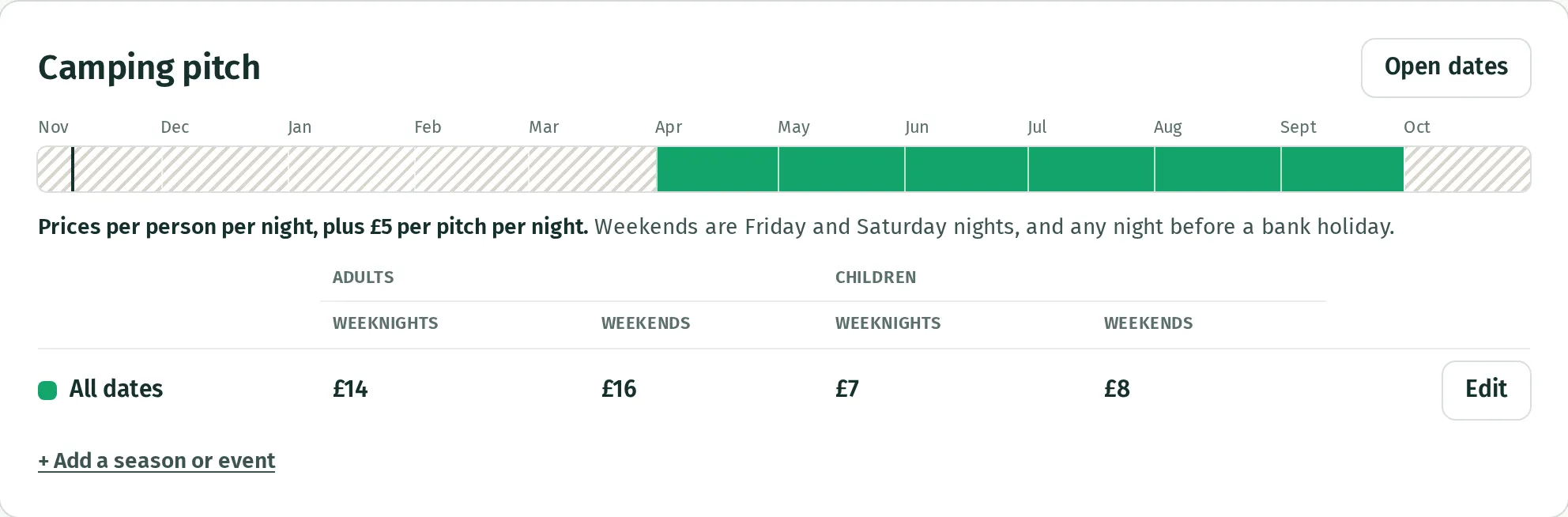
Section titled “Charge per person”Enter Each adult and Each child for both columns. A child price of £0 means children stay free. Switch on Also charge per pitch, a night if you charge a pitch fee on top of the guests’ prices.
For example, two adults at £14, one child at £7 and a £5 pitch charge cost £40 for one weeknight on one pitch.
Charge for the tent, cottage or room
Section titled “Charge for the tent, cottage or room”The nightly price covers the whole place. To charge more above a certain number of guests, switch on Charge for extra guests, enter how many the price covers, and the nightly amount for each extra guest. Adults and children both count; this option has one extra-guest price for both.
Under Prices for whole stays, press Add a price for a whole stay and enter the number of nights and total price, such as £695 for seven. An exact matching length uses that price. A seven-night price also applies to each full week of a longer stay, with remaining nights charged nightly. Extra-guest charges still apply.
A whole-stay price only applies when all nights fall in the same set of seasonal prices, or all use the usual prices. A stay crossing between them is priced nightly.
Add prices for some dates
Section titled “Add prices for some dates”- Under the stay on Prices, press + Add a season or event.
- Enter a Name, such as “Summer holidays”.
- On the Nights calendar, select the first night and then the last night you want these prices to cover. Guests leave the morning after the last night.
- Under Prices on these nights, fill in only the amounts that change. An empty box keeps the usual price; £0 makes that charge free.
- Press Add. The dates appear in the stay’s table and coloured strip.
Use Edit beside those dates to change them later. Where date ranges overlap, the shorter range wins. Empty amounts in that range use the stay’s usual prices, rather than the prices of the larger range.
If another stay uses the same pricing method, Copy to… in the seasonal form copies those dates and their settings to it. Check the other stay’s prices afterwards.
Rules under More rules are explained in opening dates and minimum stays.
If the price looks wrong
Section titled “If the price looks wrong”Check the dates, weekend nights, guest numbers, extra-guest charges and extras and compulsory fees. Use View booking page to check a guest’s dates.
Changing prices does not change the price of bookings already made. Removing a season with Edit → Remove returns those nights to the usual prices and rules. Seasonal prices do not open closed dates: set your opening dates too.
What you can’t do yet
Section titled “What you can’t do yet”There are no separate child age bands or infant prices. Per-person pricing has one child rate for weeknights and one for weekends.